

The bed levelling in all Fracktal machines works on Arduino nano (except snowflake) as of 17/8/2022. So knowing how to load code into Arduino is a necessity.
To do the following task, you need:
1. Arduino Nano.
2. Computer with Arduino IDE support (This guide is made on a Windows system)
3. USB type A(male) to micro USB (male) cable with data transfer support.
Prerequisite: Arduino IDE should be installed.
Step 1.
Install the HX711_ADC.h library by Olav Kallhovd in the Arduino IDE
Tools> Manage Libraries> (Search) HX711_ADC.h> Click Install.
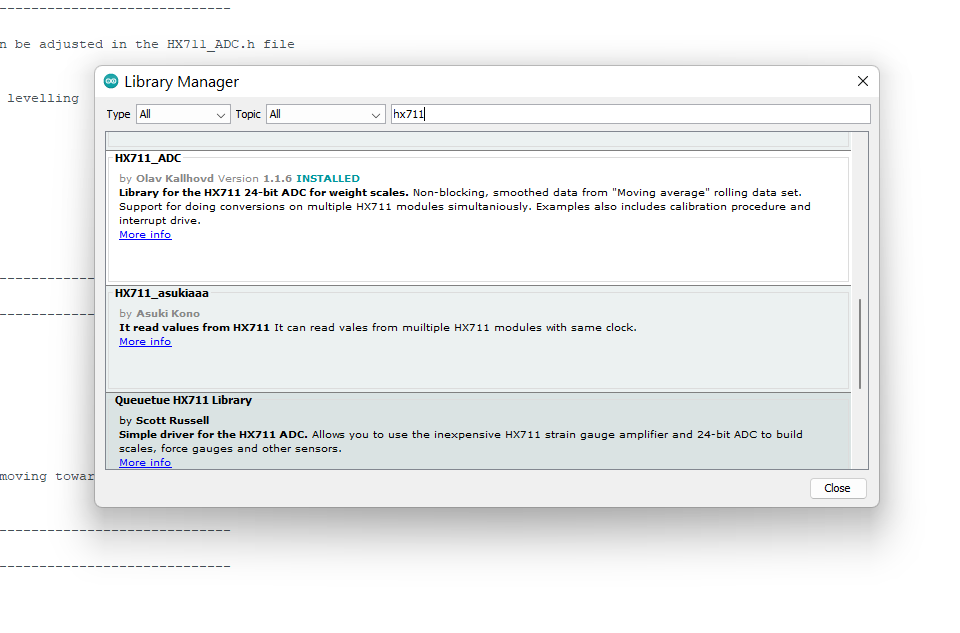
Step 2.
Download the bed levelling code from the following links:
For Extended and Advanced (Bed-mounted) – https://raw.githubusercontent.com/FracktalWorks/Loadcell-BedProbe-Julia/master/LoadCell-BedProbe/LoadCell-BedProbe.ino
For Julia Pro and Volterra (Carriage-mounted load cell)- https://raw.githubusercontent.com/FracktalWorks/LoadCell-BedProbe-Julia-Pro/original/LoadCell-BedProbe/LoadCell-BedProbe.ino
Open the Bed Levelling code: File > Open> Select the file.
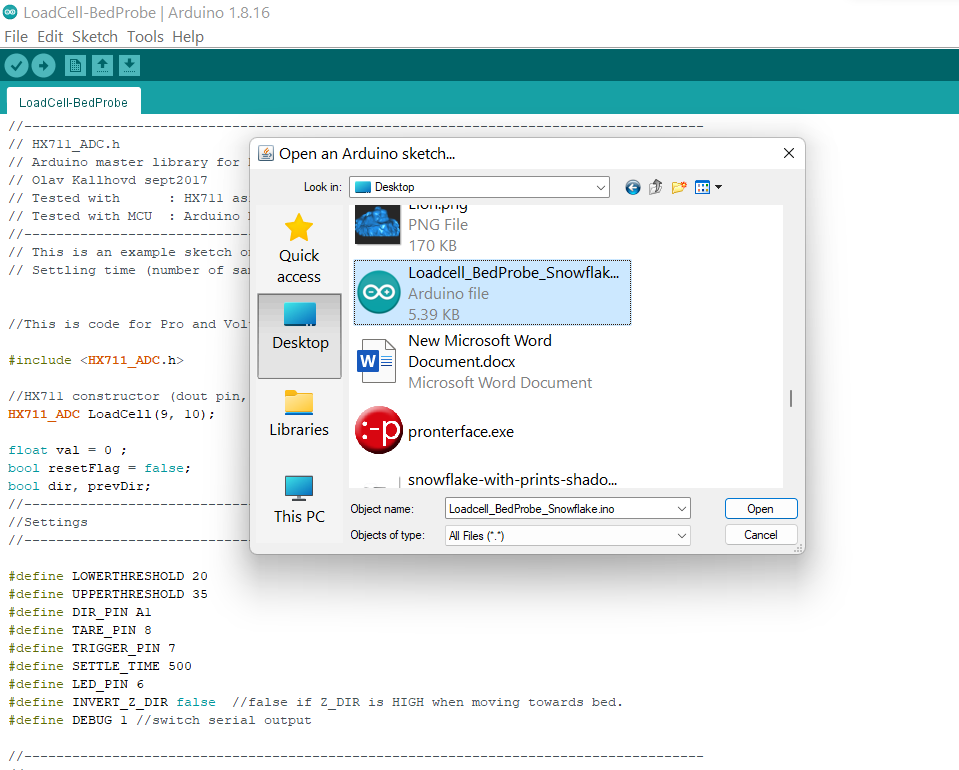
Step 3:
Connect the Arduino to the IDE and make sure the correct COM ports are selected and it’s connected properly.
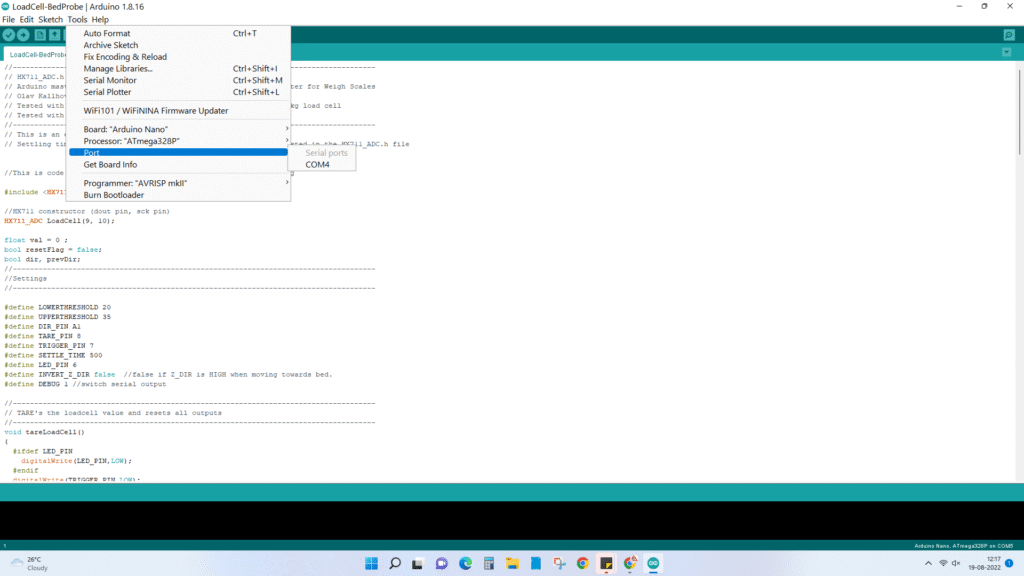
4. Load it to Arduino.
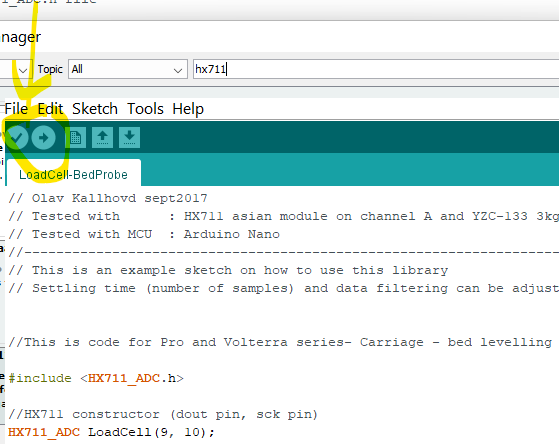
You have successfully loaded the code to Arduino.
Troubleshooting:
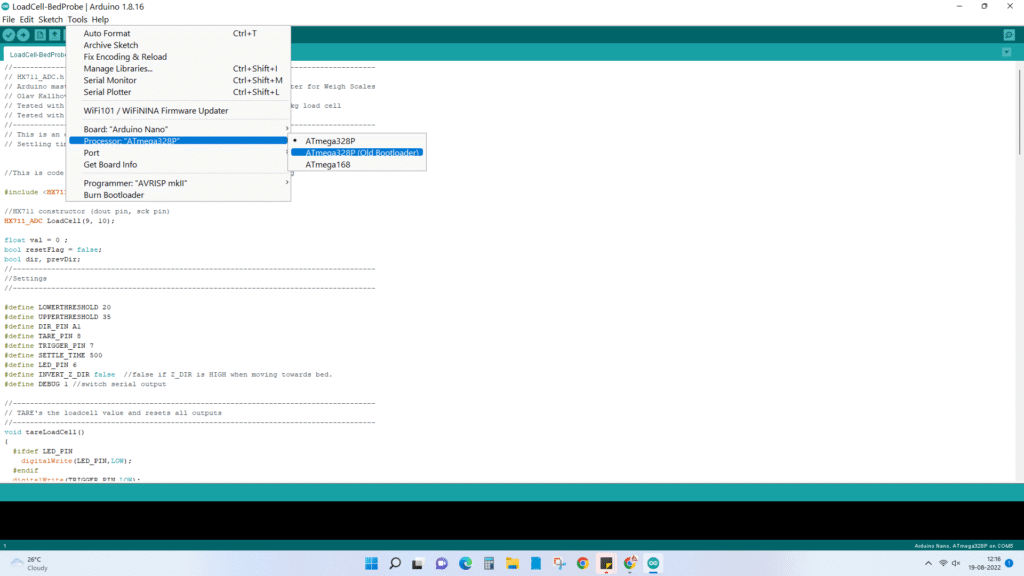
1. If the code loading fails, then change the bootloader to Old Bootloader.
For a detailed step-by-step tutorial video, please see the video below:


