














Sending G-code to Fracktal Care for Troubleshooting
Analysing the G-code is one of the primary steps done while troubleshooting issues. The G-code, which may be fine in your system, may get corrupted while uploading to your printer. To make sure this corruption has not happened, we recommend analysing the G-code from the printer.
So if a Fracktal care representative asks for G-code, please follow these steps to download and send the G-code.
1. Access Octoprint using the printer’s IP address.
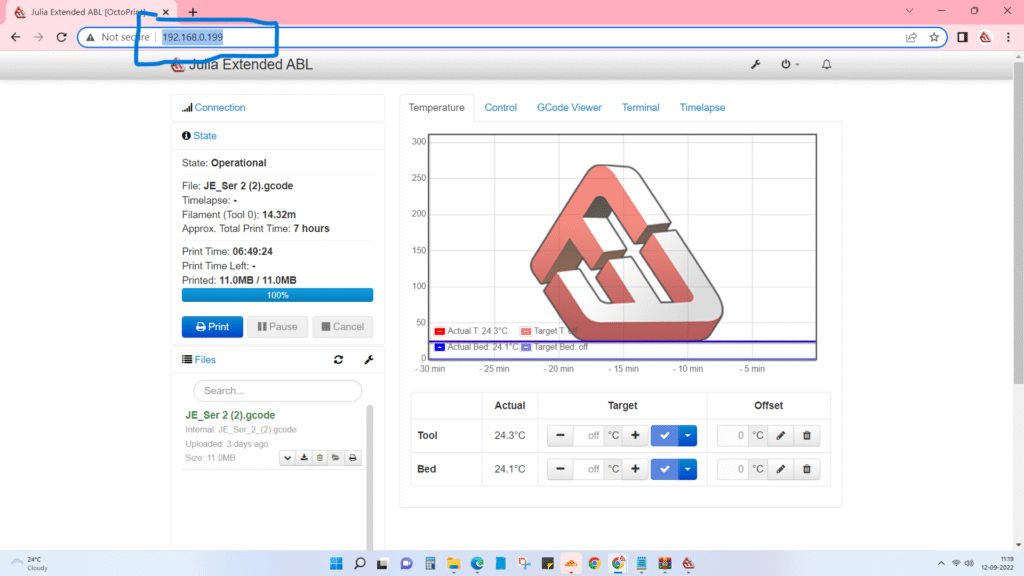
2. Click on download for the G-code file you want to download.
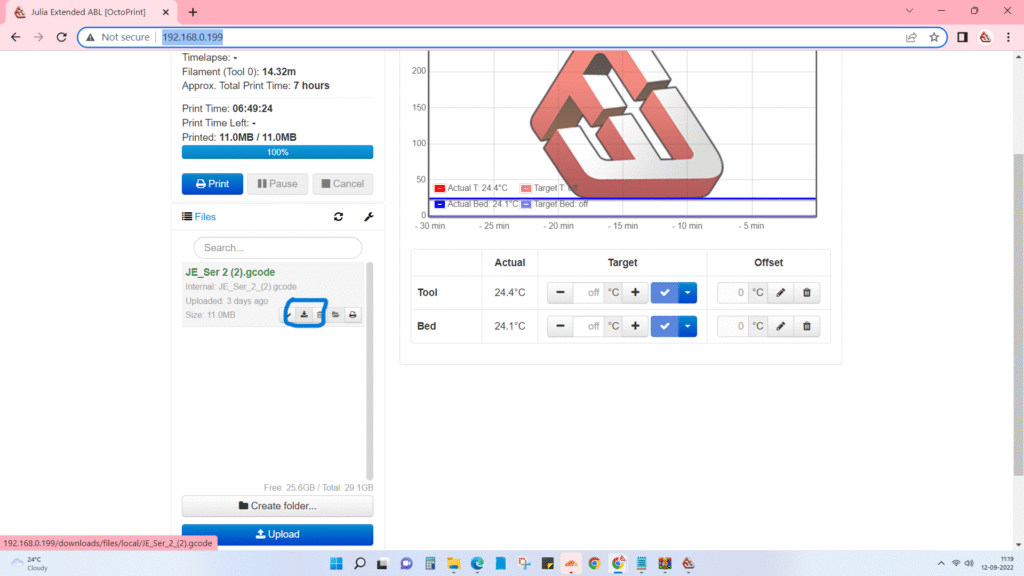
Voila, you have successfully downloaded the file, all you have to do it to send it.