Loading
Skip to content
Contact Us
  • Products

    FDM 3D Printers

    Snowflake
    Julia
    Dragon
    Twin dragon
    Volterra

    SLS 3D Printer & Accessories

    Apollo 250
    MDS-1
    Printstick

    FDM 3D Printers

  • Manufacturing Services

    3D printing Services

    FDM 3D Printing

    SLS 3D Printing

    HPMJF 3D Printing

    SLA Printing

    Vaccum Casting

    Jigs & Fixtures

    Prototyping

    Healthcare

    Engineering Services

    Designing Services

    Finishing Assembly

    Consulting Services

    Reverse Engineering

    Quality Assurance

  • Industries
    • Automobile
    • Engineering
    • Healthcare
    • Manufacturing
    • Entertainment
    • Jewelry
    • Dental
    • Medical
  • Materials
    • PLA
    • ABS
    • PET-G
    • PVA
    • Nylon
    • CF Nylon
    • PC
    • TPU
  • Resources
    • Knowledge Base
    • Blogs
    • CSR
    • Events & News
    • Download Fracktory
    • Careers
    • FAQs
    • Our Partners
  • Support
  • About Us
  • Products

    FDM 3D Printers

    Snowflake
    Julia
    Dragon
    Twin dragon
    Volterra

    SLS 3D Printer & Accessories

    Apollo 250
    MDS-1
    Printstick
  • Manufacturing Services

    3D printing Services

    FDM 3D Printing

    SLS 3D Printing

    HPMJF 3D Printing

    SLA Printing

    Vaccum Casting

    Jigs & Fixtures

    Prototyping

    Healthcare

    Engineering Services

    Designing Services

    Finishing and Assembly

    Consulting Services

    Reverse Engineering

    Quality Assurance

  • Industries
    Automobile

    Automobile

    Engineering

    Healthcare

    Healthcare

    Manufacturing

    Entertainment

    Jewellery

    Dental

    Medical

  • Materials
    Article_PLA_Cover-1280x720

    PLA

    3D Print plastic (2)

    ABS

    petg-clear-filament-vases-43274b58ee202ec1db6679362cd9ee10-scaled.jpg

    PET-G

    Untitled design (1)

    PVA

    Fusion3-3D-printed-Nylon-Gears-6

    Nylon

    Carbon-Fiber-prints-hero

    CF Nylon

    PC_airwolf

    PC

    Screenshot-2025-06-02-143932.jpg

    TPU

  • Resources
    2

    Knowledge Base

    3

    Blogs

    4

    CSR

    5

    Events & News

    6

    Download Fracktory

    7

    Careers

    8

    FAQ's

    9

    Our Partners

  • Support
  • About Us
  • Products

    FDM 3D Printers

    Snowflake
    Julia
    Dragon
    Twin dragon
    Volterra

    SLS 3D Printer & Accessories

    Apollo 250
    MDS-1
    Printstick
  • Manufacturing Services

    3D printing Services

    FDM 3D Printing

    SLS 3D Printing

    HPMJF 3D Printing

    SLA Printing

    Vaccum Casting

    Jigs & Fixtures

    Prototyping

    Healthcare

    Engineering Services

    Designing Services

    Finishing and Assembly

    Consulting Services

    Reverse Engineering

    Quality Assurance

  • Industries
    • Automobile
    • Engineering
    • Healthcare
    • Manufacturing
    • Entertainment
    • Jewelry
    • Dental
    • Medical
  • Materials
    • PLA
    • ABS
    • PET-G
    • PVA
    • Nylon
    • CF Nylon
    • PC
    • TPU
  • Resources
    • Knowledge Base
    • Blogs
    • CSR
    • Events & News
    • Download Fracktory
    • Careers
    • FAQs
    • Our Partners
  • Support
  • About Us
Contact Us
  • Products

    FDM 3D Printers

    Snowflake
    Julia
    Dragon
    Twin dragon
    Volterra

    SLS 3D Printer & Accessories

    Apollo 250
    MDS-1
    Printstick
  • Manufacturing Services

    3D printing Services

    FDM 3D Printing

    SLS 3D Printing

    HPMJF 3D Printing

    SLA Printing

    Vaccum Casting

    Jigs & Fixtures

    Prototyping

    Healthcare

    Engineering Services

    Designing Services

    Finishing and Assembly

    Consulting Services

    Reverse Engineering

    Quality Assurance

  • Industries
    Automobile

    Automobile

    Engineering

    Healthcare

    Healthcare

    Manufacturing

    Entertainment

    Jewellery

    Dental

    Medical

  • Materials
    Article_PLA_Cover-1280x720

    PLA

    3D Print plastic (2)

    ABS

    petg-clear-filament-vases-43274b58ee202ec1db6679362cd9ee10-scaled.jpg

    PET-G

    Untitled design (1)

    PVA

    Fusion3-3D-printed-Nylon-Gears-6

    Nylon

    Carbon-Fiber-prints-hero

    CF Nylon

    PC_airwolf

    PC

    Screenshot-2025-06-02-143932.jpg

    TPU

  • Resources
    2

    Knowledge Base

    3

    Blogs

    4

    CSR

    5

    Events & News

    6

    Download Fracktory

    7

    Careers

    8

    FAQ's

    9

    Our Partners

  • Support
  • About Us
+916364925434
Contact Us

3D Printers

75
  • Julia 200/250
    • TEST
  • Julia Series
    • Board Driver jumper settings.
    • How to make complete use of your accessories box.
    • Changing Material/ filament.
    • Removing carriage board – Julia Extended.
    • Julia Extended and Intermediate User Manual (2018)
    • Small size print failure
    • Layer Shifting caused by pulley slipping down
    • The printer does not turn on
    • Min Temp error.
    • Thermal Runway, System Stopped Error
    • Error: Heating failed, system stopped! Heater_ID: Bed
    • Troubleshooting Limit switch issues.
    • Changing SMPS- Extended.
    • SMPS not turning ON
    • How to identify burnt green connectors/ screw terminal?
    • SOP of the printer
    • Replacing Nozzle PTFE
    • Julia Setup And Installation
      • Removing carriage board – Julia Extended.
      • Using TMC 2209/2208 drivers with MKS 1.4 for Julia Extended Non ABL.
      • Changing Material/ filament.
      • How to make complete use of your accessories box.
      • Board Driver jumper settings.
    • Troubleshooting
      • How to identify burnt green connectors/ screw terminal?
      • SMPS not turning ON
      • Changing SMPS- Extended.
      • Troubleshooting Limit switch issues.
      • Error: Heating failed, system stopped! Heater_ID: Bed
      • Thermal Runway, System Stopped Error
      • Min Temp error.
      • The printer does not turn on
      • Layer Shifting caused by pulley slipping down
      • Small size print failure
    • Manuals & Downloads
      • Julia Extended and Intermediate User Manual (2018)
    • Maintenance
      • SOP of the printer
      • Replacing Nozzle PTFE
  • Snowflake
    • SOP of the printer
    • Snowflake User Manual.
    • How to make complete use of your accessories box.
    • Pre-Installation Requirements
    • Unboxing & Inventory Guide
    • Setup And Installation
      • How to make complete use of your accessories box.
      • Pre-Installation Requirements
      • Unboxing & Inventory Guide
    • Manuals & Downloads
      • Snowflake User Manual.
    • Maintenance
      • SOP of the printer
  • Twin Dragon
    • Fracktory Slicer
  • Julia Pro
    • Replacing Nozzle PTFE
    • Layer Shifting caused by pulley slipping down
    • Julia Pro User Manual
    • SOP of the printer
    • Changing Material/ filament.
    • How to make complete use of your accessories box.
    • Julia Pro Setup And Installation
      • SOP of the printer
      • Changing Material/ filament.
      • How to make complete use of your accessories box.
    • Manuals & Downloads
      • Julia Pro User Manual
    • Troubleshooting
      • Replacing Nozzle PTFE
      • Layer Shifting caused by pulley slipping down
  • Volterra
    • E1 extrusion issue
    • Layer Shifting caused by pulley slipping down
    • Layer shifting/ Print quality drop due to damaged belt.
    • SOP of the printer
    • Replacing Nozzle PTFE
    • Changing Material/ filament.
    • Filament sensor not working.
    • How to make complete use of your accessories box.
    • Setup And Installation
      • SOP of the printer
      • Replacing Nozzle PTFE
      • Changing Material/ filament.
      • Filament sensor not working.
      • How to make complete use of your accessories box.
    • Troubleshooting
      • E1 extrusion issue
      • Layer Shifting caused by pulley slipping down
      • Layer shifting/ Print quality drop due to damaged belt.

Software

7
  • Fracktory Slicer
    • Sending Gcode to Fracktal care for troubleshooting.
    • Tuning material settings on Fracktory.
    • Getting started with Fractory.
    • Fracktory Slicer
    • Getting Started
      • Getting started with Fractory.
    • Print Settings
      • Tuning material settings on Fracktory.
    • Tips & Troubleshooting
      • Sending Gcode to Fracktal care for troubleshooting.
View Categories
  • Home
  • Knowledge Base
  • 3D Printers
  • Snowflake
  • Setup And Installation
  • Pre-Installation Requirements

Pre-Installation Requirements

1 min read

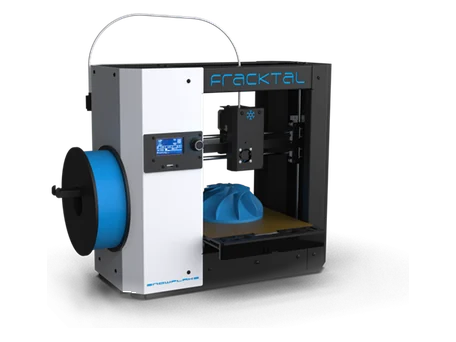
This section provides the essential pre-installation checks and environmental requirements to ensure optimal setup and safe operation of your Snowflake 3D Printer.

Step 1: Site Requirements #

1. Select a clean, level, and vibration-free surface to place the printer.

2. Maintain a minimum clearance of 20 cm around the printer for ventilation and access.

3. Ensure the environment is free from dust, direct sunlight, and excessive humidity.

4. Avoid placing the printer near heat sources, air conditioners, or open windows.

Step 2: Electrical Requirements #

1. Verify that the power supply matches the printer’s rated input (AC 220V ±10%, 50/60 Hz).

2. Use only the supplied Fracktal Works power cord and adapter.

3. Ensure the power socket is properly grounded to avoid electrical hazards.

4. Avoid using damaged extension cords or sharing power sockets with high-load devices.

Step 3: Environmental Conditions #

1. Recommended operating temperature: 5°C to 45°C.

2. Maintain relative humidity between 20% and 70%.

3. Operate the printer in a well-ventilated space to prevent fume accumulation.

4. Avoid exposing the printer to vibrations or sudden temperature changes.

Step 4: Filament and Materials #

1. Store filament spools in airtight containers to prevent moisture absorption.

2. Use only recommended filaments: PLA, PLA+, ABS, PETG, TPU (85A & 98A), HIPS.

3. Before installation, inspect the filament for tangles or breakage.

4. Refer to the Material Safety Data Sheet (MSDS) for handling precautions.

Step 5: Tools and Accessories #

Ensure all accessories listed in the Unboxing & Inventory Guide are available before setup.

Essential tools include: Allen keys, nipper, tweezers, PTFE tube, and build plate.

Step 6: Network and Software Preparation #

1. While Snowflake operates primarily offline via USB, optional LAN connectivity may be available for updates or monitoring.

2. Ensure a computer with the latest version of Fracktory Slicer is available for preparing G-code files.

3. Download the slicer software from the official Fracktal Works website (www.fracktal.in).

Step 7: Safety Precautions #

1. Keep the workspace clear of loose tools and flammable materials.

2. Ensure proper grounding and avoid touching live components when powered on.

3. Review all safety instructions provided in Section 01 of the Snowflake User Guide.

4. Only trained operators should perform installation and calibration steps.

Step 8: Pre-Installation Verification Checklist #

Before proceeding with installation, confirm the following:

  • ✔ Workspace is stable, clean, and well-ventilated.
  • ✔ Power supply meets specifications and is grounded.
  • ✔ Required tools and accessories are available.
  • ✔ Filaments are stored properly and ready for use.
  • ✔ Software (Fracktory Slicer) is installed and configured.
  • ✔ Operator has reviewed safety instructions.

Important Notes #

• Do not modify hardware or firmware without official approval from Fracktal Works.

• Ensure all setup procedures follow the guidelines in the official Quick Start and User Guide.

• Contact Fracktal Works Support if you encounter missing components or setup issues.

Updated on November 5, 2025
Installation snowflake

What are your Feelings

  • Happy
  • Normal
  • Sad

Share This Article :

  • Facebook
  • X
  • LinkedIn
  • Pinterest
How to make complete use of your accessories box.Unboxing & Inventory Guide

Leave a Reply Cancel reply

Your email address will not be published. Required fields are marked *

Table of Contents
  • Step 1: Site Requirements
  • Step 2: Electrical Requirements
  • Step 3: Environmental Conditions
  • Step 4: Filament and Materials
  • Step 5: Tools and Accessories
  • Step 6: Network and Software Preparation
  • Step 7: Safety Precautions
  • Step 8: Pre-Installation Verification Checklist
  • Important Notes

Information

About Us

Contact Us

Our Partners

Careers

Products

Snowflake

Julia

Dragon

Twin Dragon

Volterra

Material Dryer

Printstick

Apollo SLS

Solutions

3D Printing Services

Engneering Services

Support

Knowledge Base

Raise an Issue

Legal

EULA

Terms & Conditions

Privacy Policy

Cookie Policy

Return & Refund Policy

Shipping Policy

© 2025 Fracktal Works Pvt. Ltd

Facebook Twitter Youtube Instagram Linkedin