























Layer Shifting from a Slipped Pulley
Motor Pulley is mounted on the Motor shaft with the help of a grub screw. The pulley acts as a bridge for transferring the motor’s rotary motion to the belts. The motor pulley comes under high stress and sometimes may get displaced. The displacement of the pulley will cause layer shifting in some cases.
How to check if the motor pulley is displaced in your machine.
1. Visually inspect the position of the pulley.

a. In the above picture, there is no clearance between the pulley and the motor. Another thing you can observe is that, since the pulley has slipped down the motor shaft, on top is visible. There should be clearance between the motor and pulley as shown in the picture below.

In the second picture, you can see that there is a gap between the pulley and the motor.

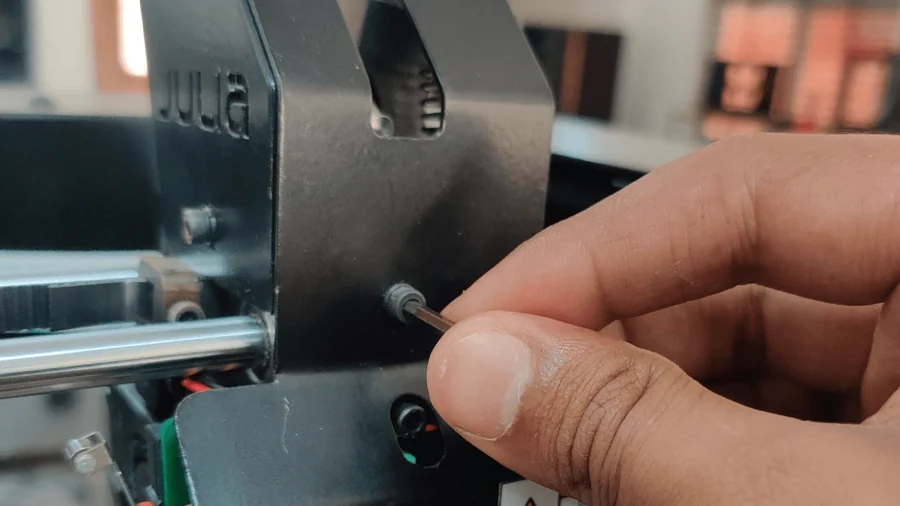
The clearance between the motor and the pulley shaft should be 2mm. If you do not have a slip gauge to measure, you can use the 2mm Allen key given in the accessory box as a jig to measure the 2mm gap between the motor and the Pulley.
In case the pulley has come down, take a flat-head screwdriver and gently push the pulley up. If the pulley does not move, use the 1.5mm Allen key given in the accessory box and loosen the grub screws by a turn, and push the pulley up. Retighten the screws once the pulley is back in its position.
2. Try to push the pulley with your finger and check if it has play.
Note: You can also check for damaged teeth in the pulley
Check for indirect signs of motor pulley displacement, like
a. Wear in the belt: The displacement of the pulley causes damage to the belt in some cases. So you can take chaffing or damage on the belt as signs of a Pulley issue.
b. Powdery residue near motor: Displacement of the pulley results in the belt rubbing against the pulley edges, and the belt rubber will accumulate near the pulley.
This guide can be used for Julia Advance, Extended, Intermediate, and machines. Pro and Volterra machines also get the same issue, but the mounting position of the motors is a bit different.